Processes like n8n
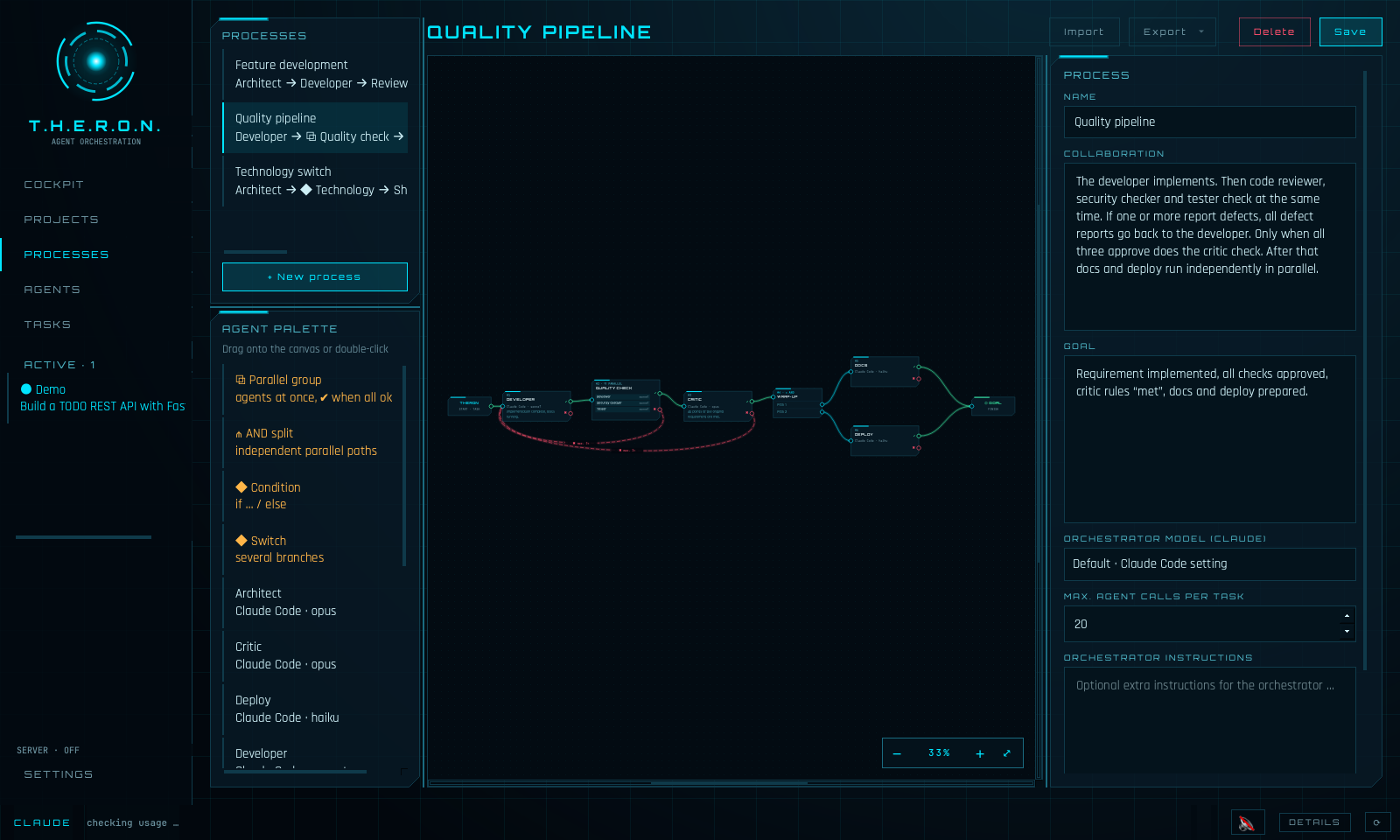
Build workflows visually: agents with success and failure paths, iteration limits, if/then decisions, parallel groups and AND splits. Reviews send defects back automatically – with full context.
TASK HIERARCHY AND EXECUTION ROUTING ORCHESTRATION NODE · MAC & WINDOWS
Theron turns Claude Code and local models into a team you put together yourself: any agents with their own roles, tasks and rules – for software development, research, content, sales or whatever else you need – connected in visual processes. You watch every step live, answer questions from anywhere and keep control.
Latest version –
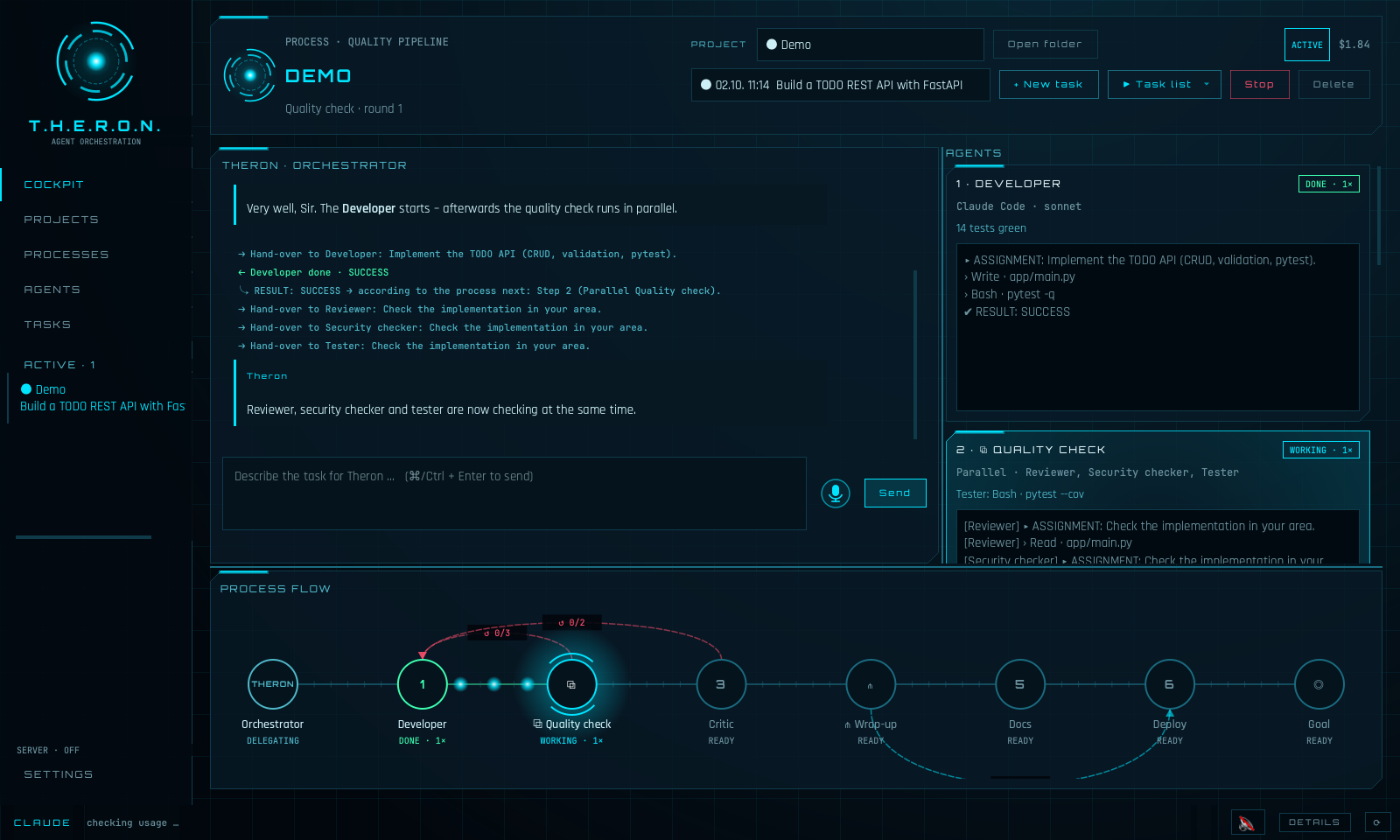
One prompt is good. A team with a process is better.
Build workflows visually: agents with success and failure paths, iteration limits, if/then decisions, parallel groups and AND splits. Reviews send defects back automatically – with full context.
Every step chooses its engine and model: Claude Opus for the concept, a local Qwen via OpenCode/Ollama for the implementation – whatever fits the job and the budget.
Chat with Theron, see every agent's current step, tool calls and hand-overs, and an animated process flow. Several projects run in parallel.
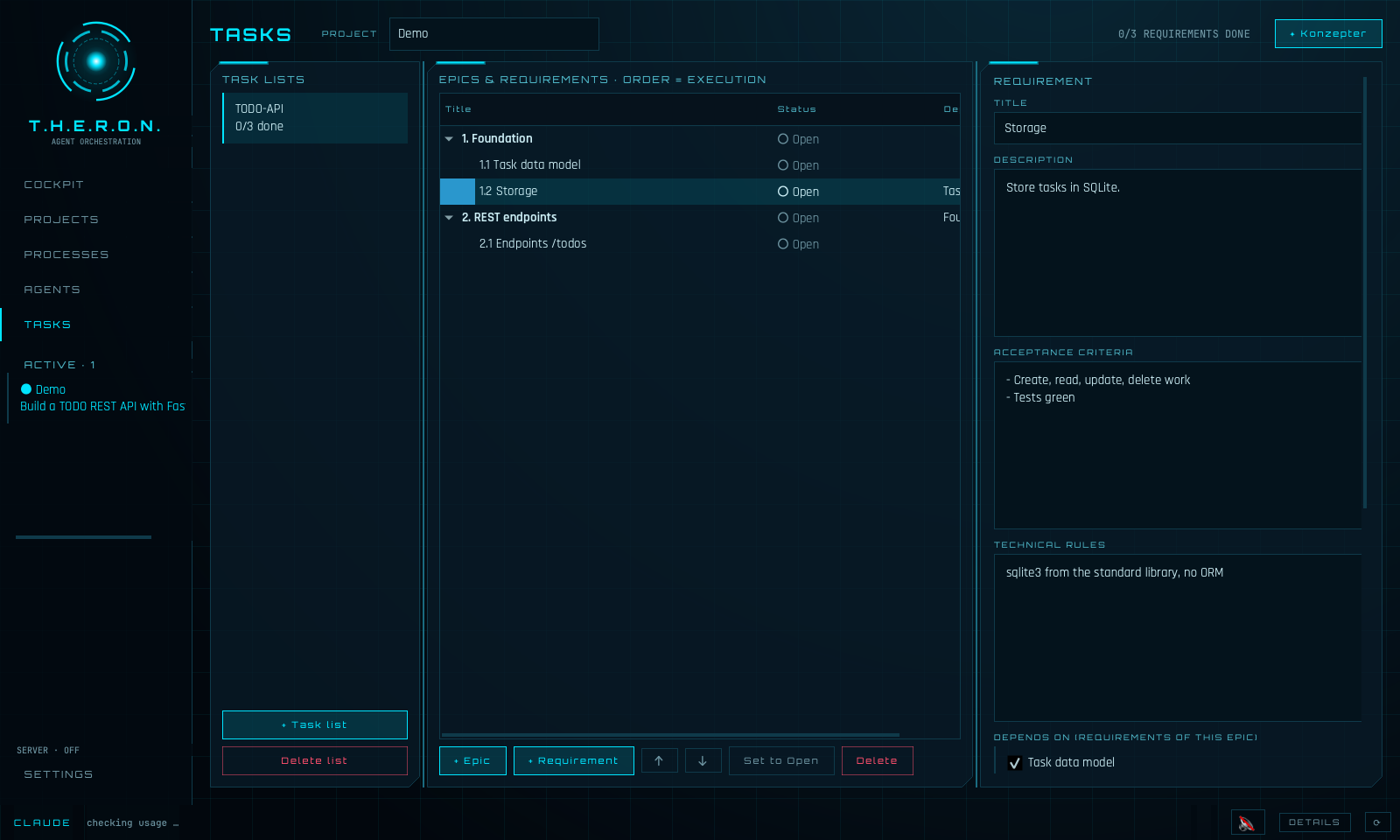
Epics and requirements with acceptance criteria and dependencies – worked through one by one. Reusable templates with parameters (folders, text, dropdowns), e.g. one sales pipeline for every customer.
Discuss your idea in a chat: the Konzepter challenges the concept and creates epics and requirements – even later, for bugs found during implementation.
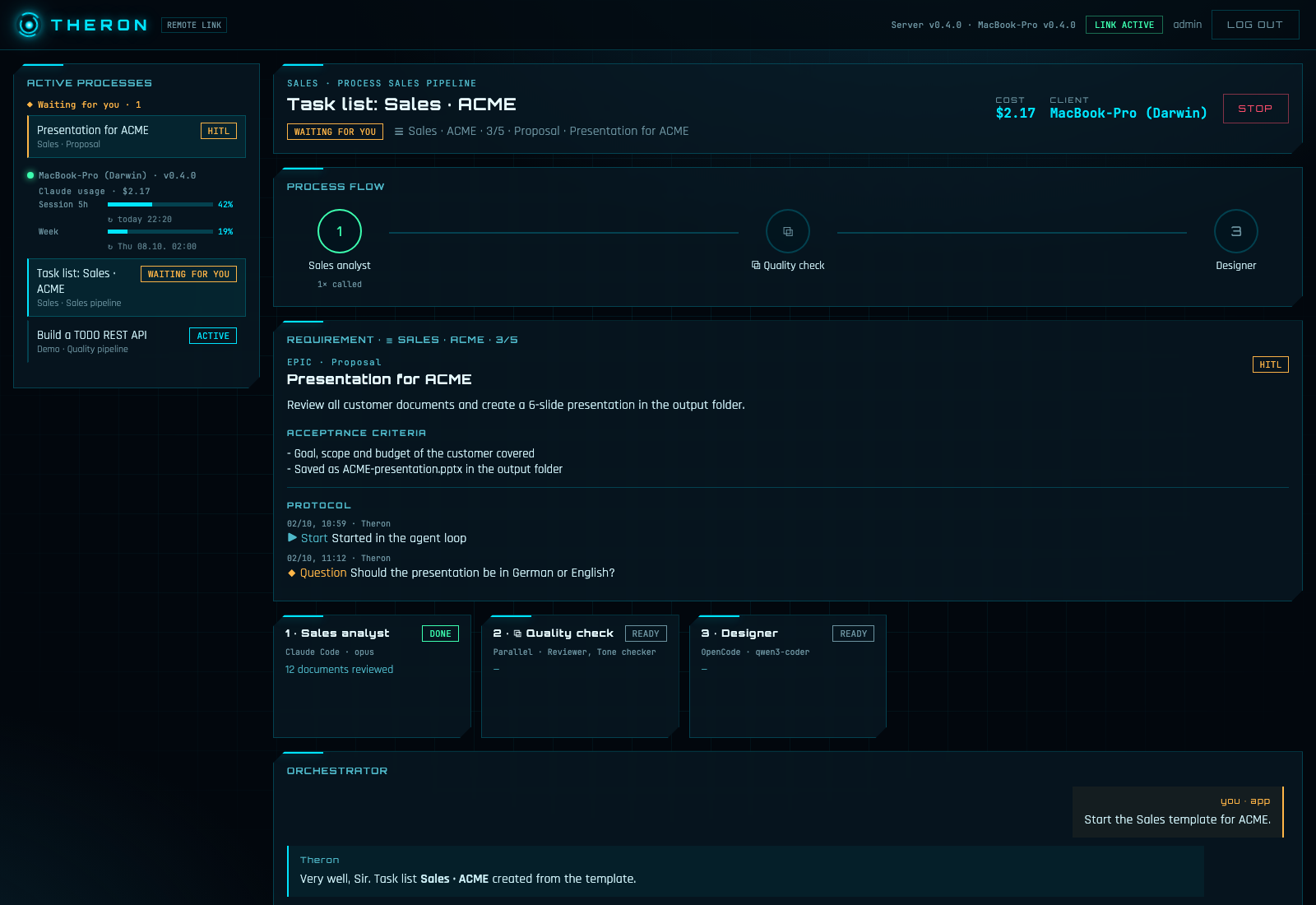
Follow your agents in the browser and answer questions (human in the loop) on the go. Mandatory two-factor login, and every web answer is checked on your computer before Theron sees it.
Dictate prompts locally with Whisper – no audio leaves your computer. Theron announces what is happening in a calm British voice. Mute with one click.
Claude session and weekly limits, costs per task and project rules for every agent – in the status bar and on the server. Set your own limits: Theron pauses when they are reached and continues after the reset.
Any role you need, each with name, task, rules, engine and model – e.g. architect, developer and reviewer for software, or researcher, writer and editor for content.
Connect them visually: who works when, what happens on success or failure, what runs in parallel.
A single prompt, a task list or a template for a new customer – Theron takes it through the process.
Follow every step in the cockpit or in the browser and answer questions whenever Theron needs you.
Theron runs on your computer and sends nothing to us – no telemetry, no tracking, no account.
No analytics, no usage statistics, no crash reports, no update checks, no registration. The author never receives your prompts, files, agents, processes or results.
Agents, processes, projects, task lists, protocols and settings are kept in a local database on your computer. You can delete them at any time (Settings → Reset everything).
What agents work with – prompts, file contents, command output – goes to the model provider you configure: Anthropic for Claude (under your account and Anthropic's terms) or the provider set up in OpenCode. With local models via Ollama it stays on your computer.
Dictation is transcribed by Whisper on your computer; no audio is sent anywhere. Only once, at the first dictation, the speech model is downloaded from Hugging Face. Speech output uses your system's voices.
Only if you switch on live sync, Theron sends run status, chat, agent results, Claude usage, computer name and version to the Theron server that you operate yourself – encrypted when you use HTTPS.
No cookies, no tracking, no external fonts or scripts. Your language choice and the download checkbox are stored only in your browser. Downloads are delivered by this server. Like every web server it processes technically necessary access data (e.g. IP address, time) in its logs.
Latest version –
Theron lets AI agents (Claude Code, OpenCode and the models behind them) work autonomously on your computer. By default they may read, create, change and delete files, run commands and access the network – in the working directory and, depending on your prompts and settings, beyond it. AI can make mistakes, misunderstand instructions or act in unexpected ways and can thereby damage or delete data, software or your system.
Theron is provided “as is”, without any warranty. Use is entirely at your own risk. To the extent permitted by law, the author accepts no liability for any damage, data loss, costs or other consequences arising from the use of Theron or the AI agents it controls.
Theron itself does not share any data with the author or third parties and has no telemetry. Data only leaves your computer towards the AI providers and the Theron server that you configure yourself – see Privacy.
T.H.E.R.O.N. stands for “Task Hierarchy and Execution Routing Orchestration Node”. Theron is an independent project and is not affiliated with Anthropic or OpenCode.
Apple Silicon or Intel · macOS 13+ · DMG
Apple Silicon (M1–M4) IntelWhich one? Apple menu → About This Mac: “Chip Apple M…” = Apple Silicon, “Processor … Intel” = Intel.
Open the DMG and drag Theron into Applications. First start: right-click → Open (the app is not notarised).
Windows 10/11 · 64-bit · ZIP
Download for WindowsUnzip and start Theron.exe. SmartScreen: “More info” → “Run anyway”.
Python 3.11+ · Linux, macOS, Windows · wheel
Download serverpip install "./theron_agents-…-py3-none-any.whl[server]" theron-server init theron-server serve --host 0.0.0.0 --port 8765